

What it is
A salvage yard buys a car, strips it, and sells the pieces one at a time. The economics only work if the yard knows what each vehicle cost, which of its parts are still on a shelf, and what that shelf is worth today.
Before Mottavik that lived in spreadsheets and in whatever the person on shift remembered. Parts went missing on the floor, prices were guessed, and nobody could say whether a given car had paid for itself.
We built the system that answers those three questions. A car arrives, every part is catalogued, labelled and given a cell, and every movement after that is recorded. Product design, frontend, backend, infrastructure and brand.
The part record
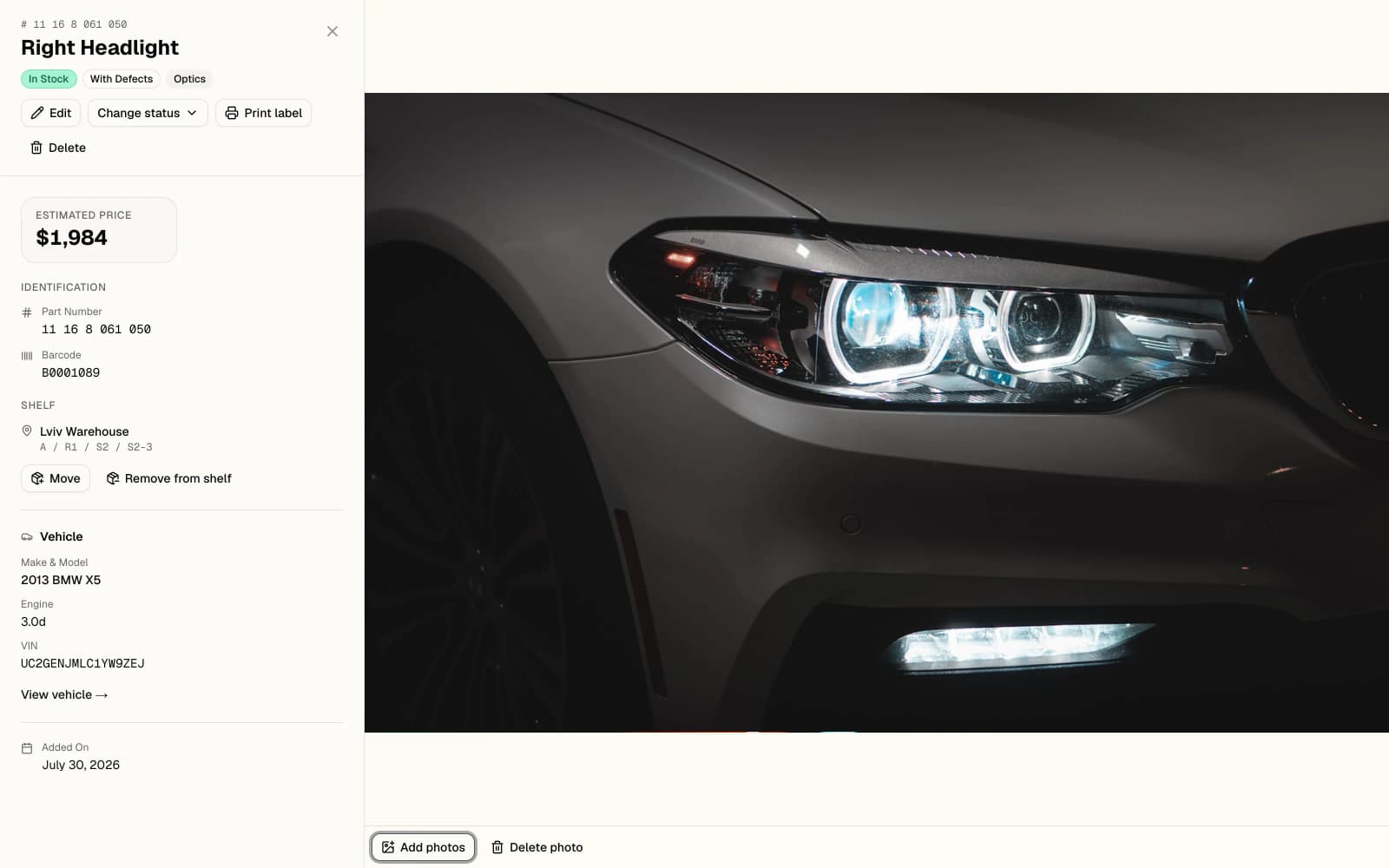
- 01One click sends this part's label to the thermal printer.
- 02Barcode issued when the part is created. This is what the scanner reads.
- 03Shelf address down to the cell. Move and remove without leaving the card.
- 04The donor vehicle stays attached for the whole life of the part.
Putting a part on the books
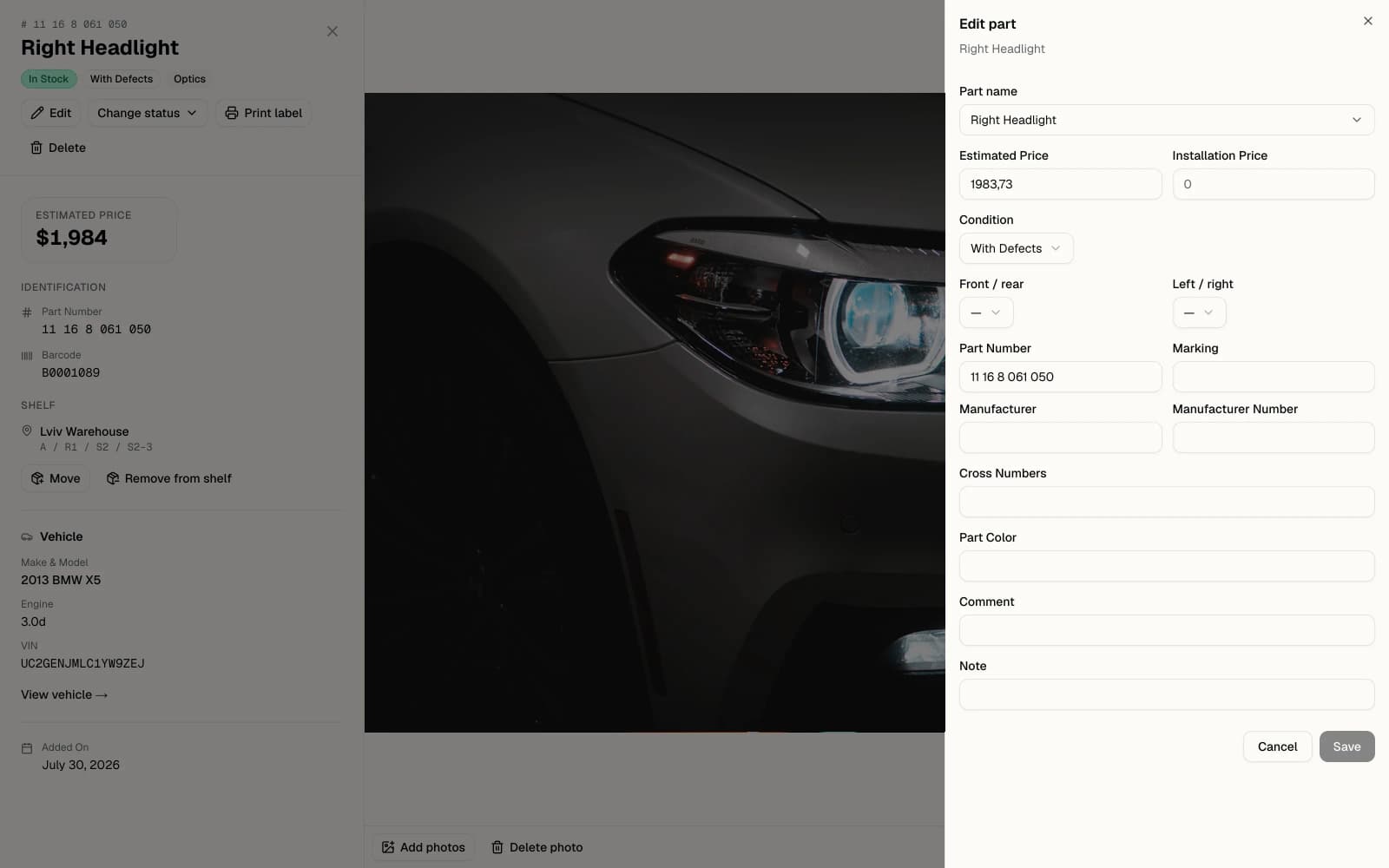
- 01The name comes from a shared catalogue, so two workers cannot invent two spellings.
- 02Condition is one of a fixed set. It drives the price suggestion and the badge.
- 03Front or rear, left or right. A door is not a door until it has a side.
- 04Cross numbers let one physical part answer to several catalogue codes.
The warehouse itself
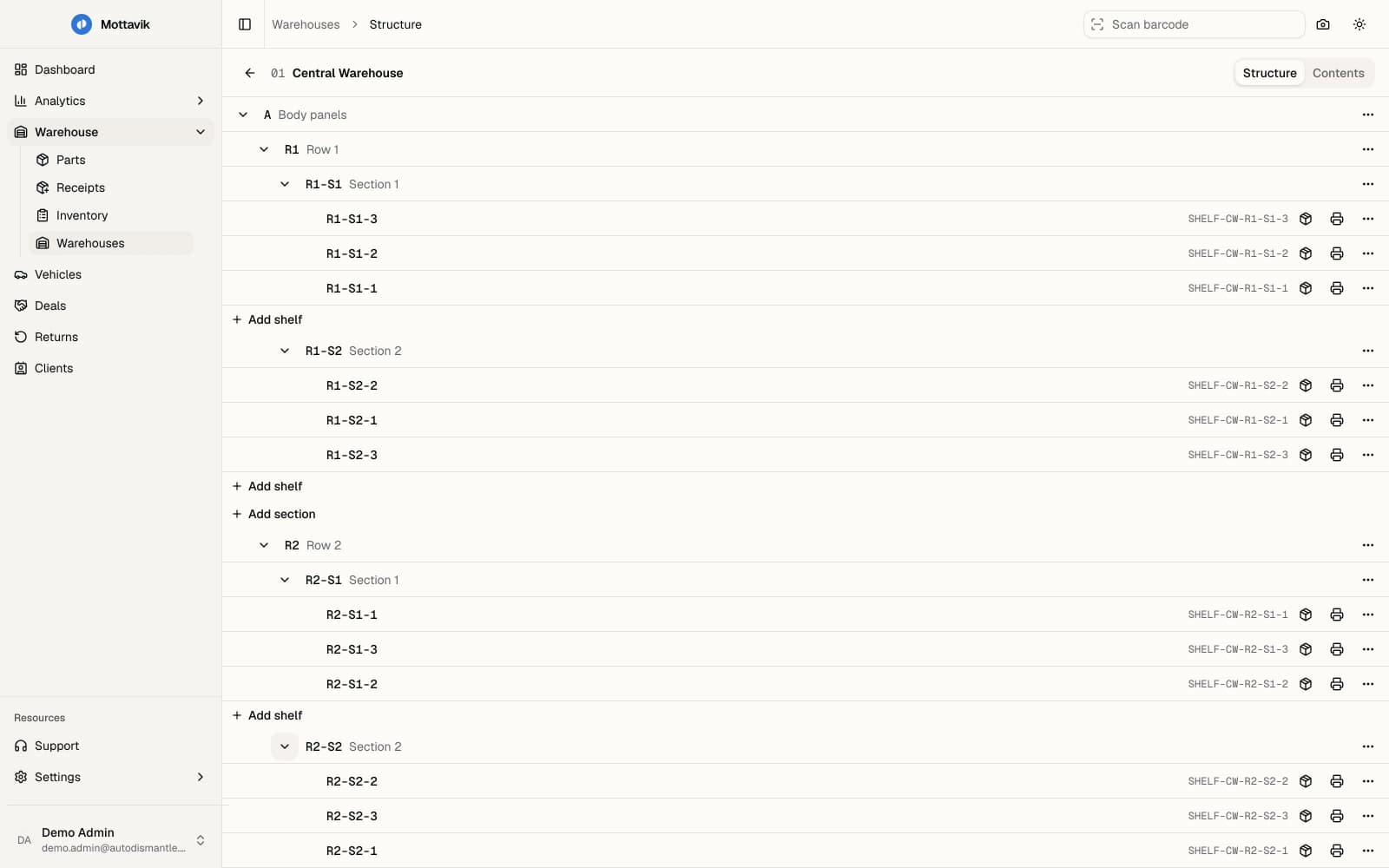
- 01Zone, row, section, shelf. The yard describes its own building.
- 02New cells are added at any level, without a migration or a support ticket.
- 03Every cell gets its own barcode the moment it exists.
- 04Print the shelf label straight from the tree and stick it on the rack.
What is in the cell
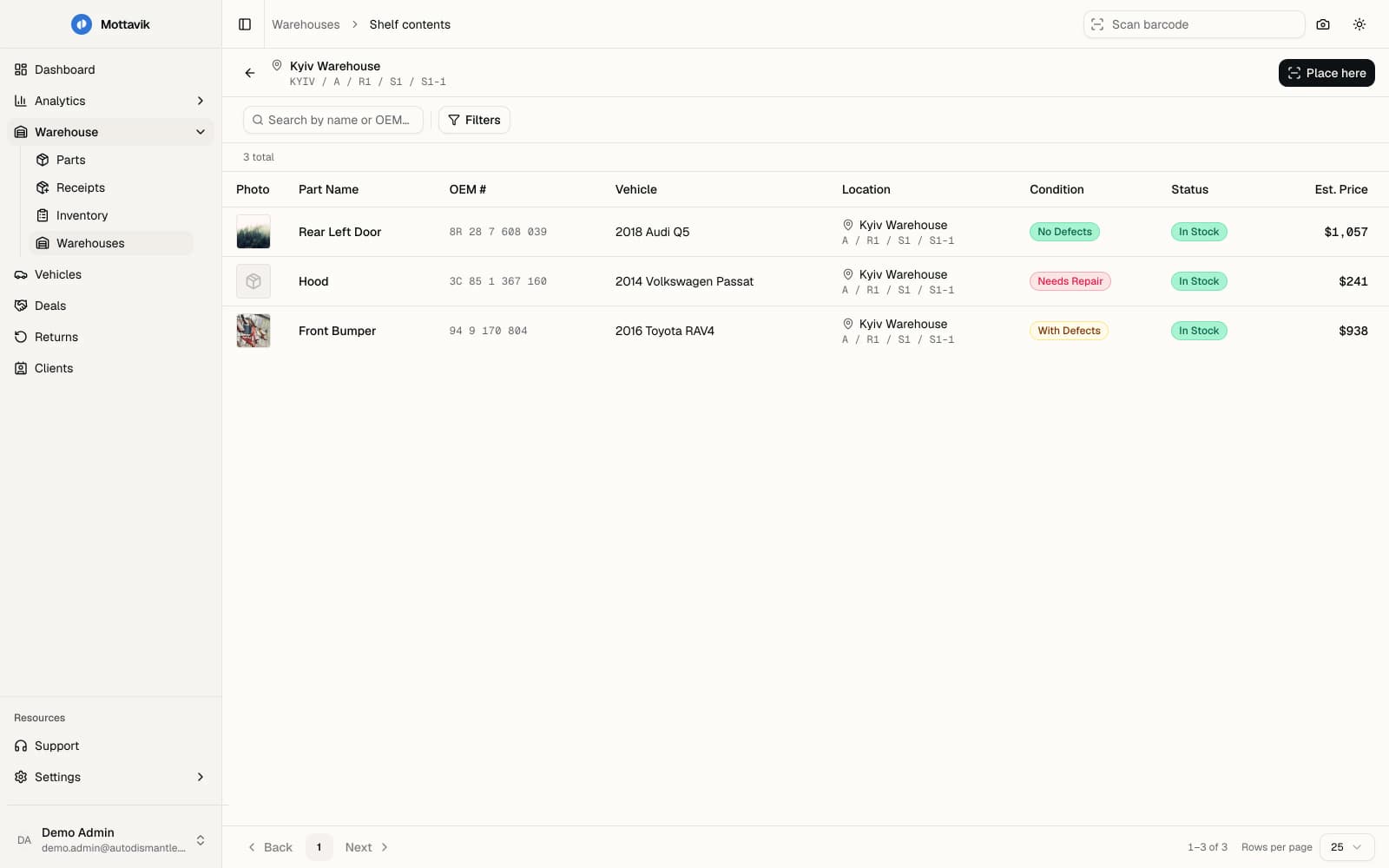
- 01Open a cell and see exactly what is standing in it.
- 02Each part carries the same address, written by the placement scan.
- 03Condition is a graded state, not a free text note.
Labels and scanning
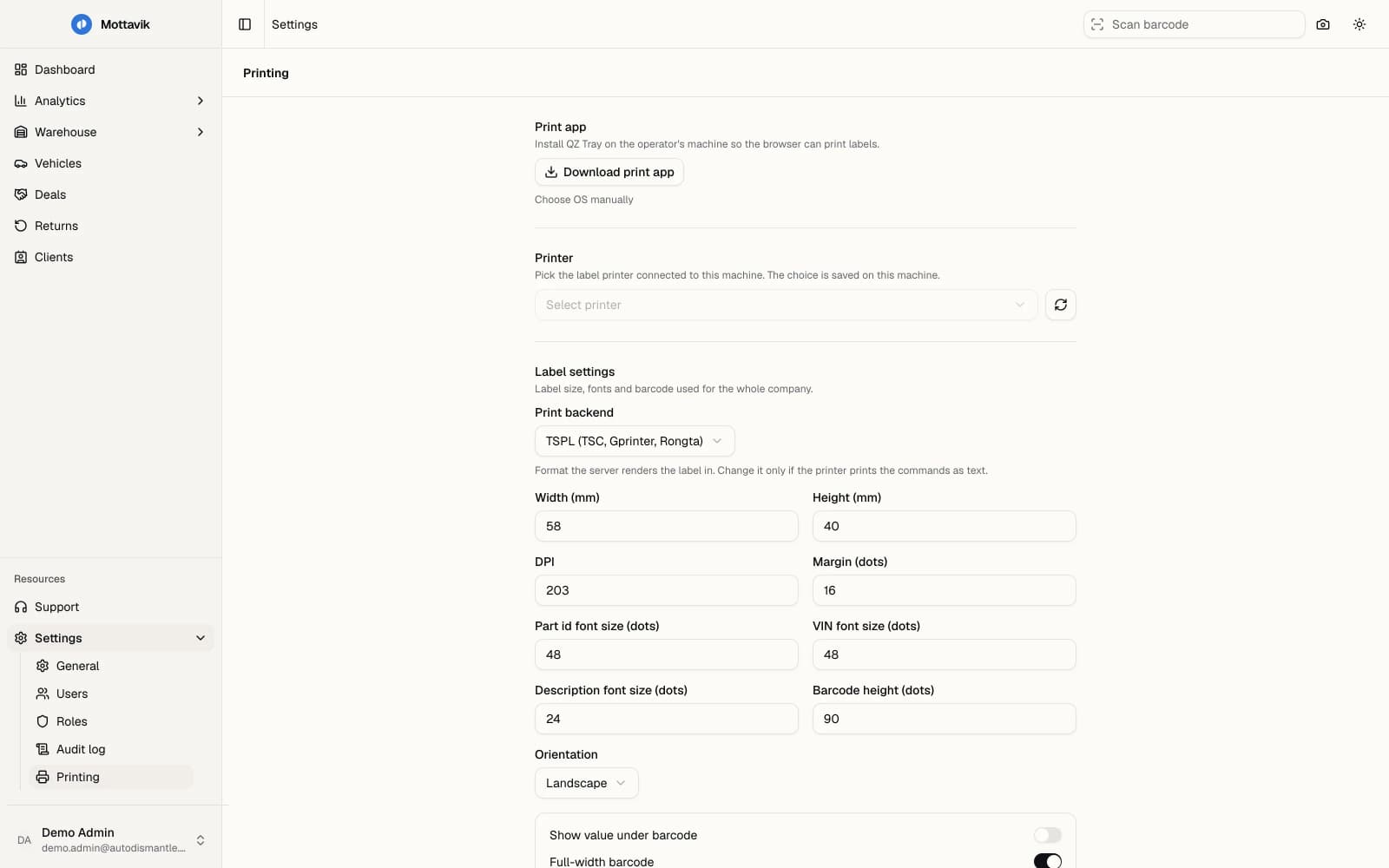
- 01A local bridge lets the browser talk to the printer without a driver.
- 02TSPL, ZPL or ESC/POS. The server renders the label in the printer's own language.
- 03Label size, fonts and barcode height are company settings, not per machine.
What the yard earned
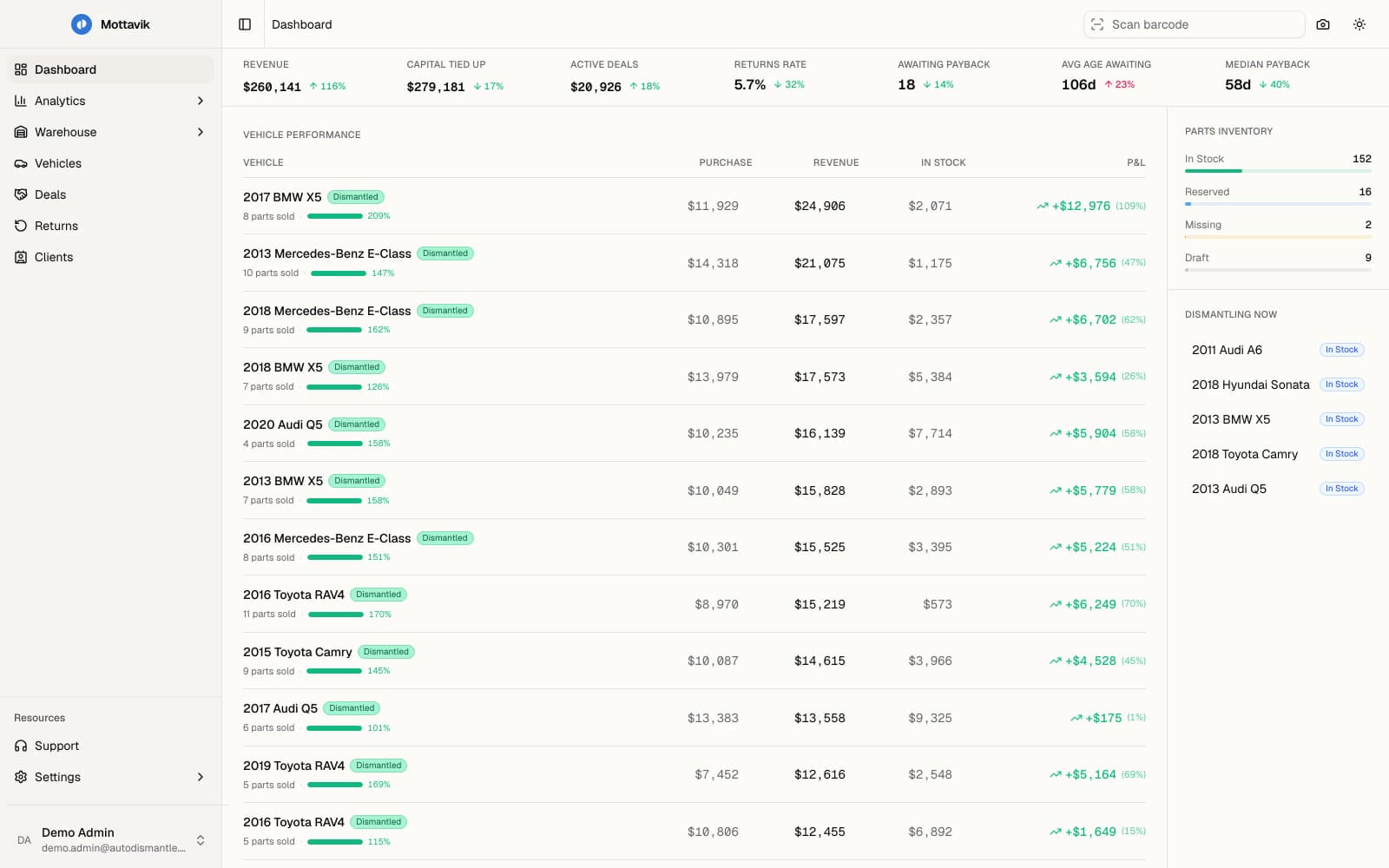
- 01Seven figures on one query: revenue, capital tied up, payback age.
- 02Profit and loss per vehicle, not per month.
- 03What is on the floor right now, updated by the scanner in the yard.
Who touched what
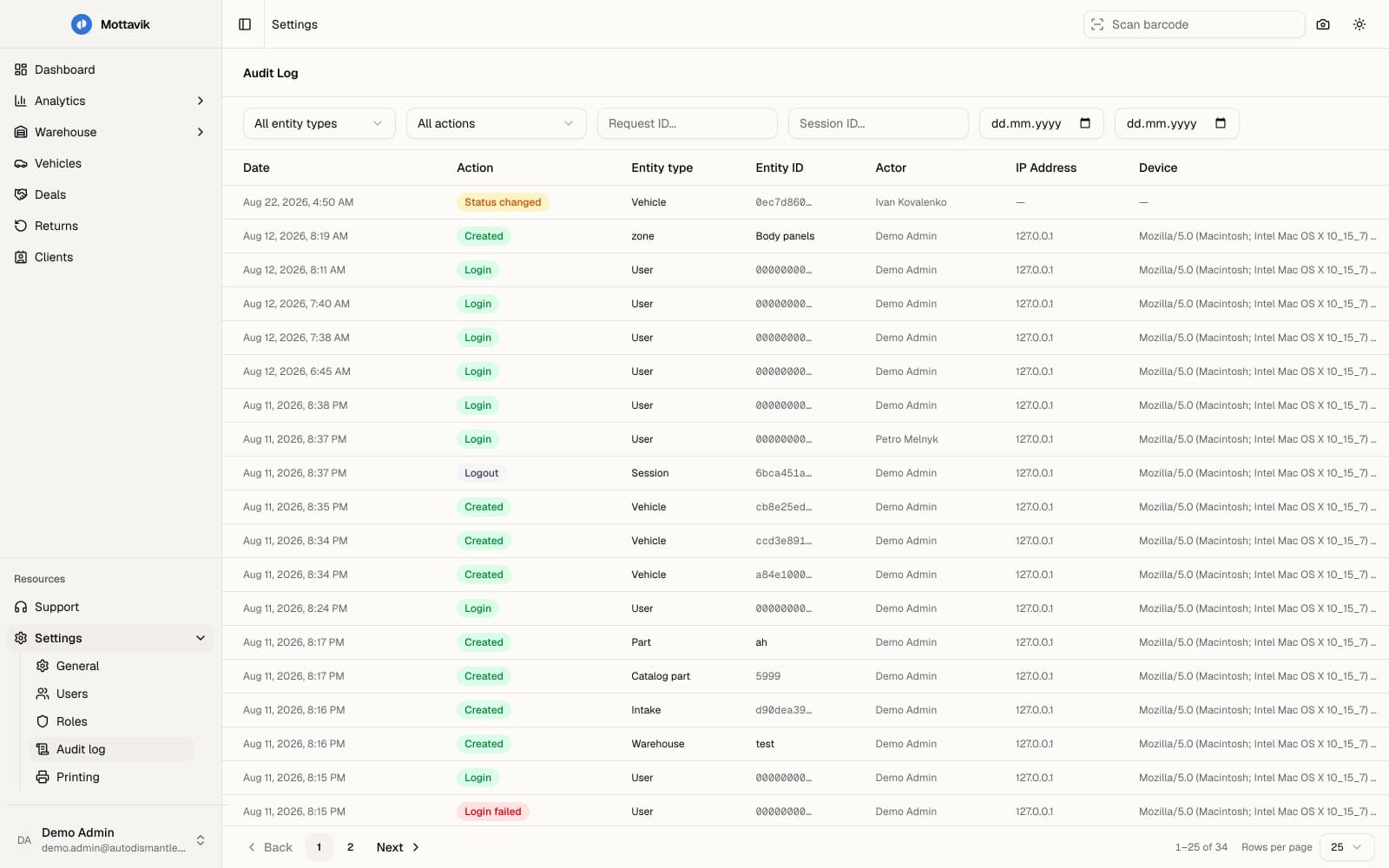
- 01Filter by entity, action, request or session id, and date.
- 02Every entry names the person, not just the account that did it.
- 03Address and device come with it, so a session can be traced.
- 04Failed logins are recorded next to successful ones.
Decisions
- A part is not an SKU
- A dismantled car produces unique parts: stock count of one, its own condition, its own photographs, its own donor. Every off the shelf CRM assumes a stable catalogue with repeatable SKUs, so none of them survived as a base. The data model was written around the single physical part.
- The barcode comes first
- A part gets its barcode the moment it is created, before it has a price or a shelf. That single identifier then carries it through label printing, placement, stock takes and the sale, so the mechanic in the yard never has to type anything.
- Label printing through a local bridge
- Shelf and part labels reach a thermal printer as TSPL, ZPL or ESC/POS. The server composes the label, a local bridge hands it to the device, and no workstation needs a vendor driver installed. Adding a second printer is a settings change, not an IT visit.
- Roles composed from permissions
- Every yard splits shifts differently, so fixed admin, manager and worker tiers do not survive contact with a real client. Roles are composed from a matrix of resources and actions with three states, where an explicit deny beats an inherited allow.
- Table state in the URL, not in React
- A manager lives inside filters for a full shift. Reloading the page, or sending a link to a colleague, has to preserve the exact view. Filters, sorting and pagination are held in the query string, so the browser back button behaves the way the user already expects it to.
- Photos compressed before they leave the phone
- Parts are photographed on a phone, in a yard, on mobile data. Compression and HEIC conversion happen in the browser before upload, and the gallery reorders by drag, so a weak connection slows the catalogue down instead of stopping it.
System
A Next.js App Router front end against a standalone Bun API. Server components render the shell and the public surface; every data grid is a client island on TanStack Query, so a filter change costs one request and nothing else re-renders.
PostgreSQL with Drizzle migrations holds vehicles, parts, the warehouse tree of zones, rows, sections and shelves, plus deals and returns. Redis carries sessions and refresh token rotation. Part photographs go to S3 compatible storage, uploaded straight from the device that took them.
Three interface languages, a dark theme and an installable PWA build. The mechanic on the floor and the manager at the desk use the same system on very different hardware.
Where it stands
Live in closed access, onboarding the first operators, shipping weekly.
Need a system like this, or the engineers who build them?
Start a project